
Download Tweetbot – Secure Mac Twitter Client, Free Updates, Easy Chat & Communication Tool
Overview
Tweetbot for Twitter is a dedicated Mac‑only client that brings the power of Twitter to the desktop in a clean, fast, and highly customizable environment. First introduced to our catalog in 2016, the app has steadily built a reputation among power users who need a reliable, secure, and ad‑free experience for managing multiple accounts, organizing timelines, and staying connected without the distractions of the web interface. The current stable release, version 2.4.5, was updated on 1 April 2017 and runs on macOS X and later versions.
While the exact install size isn’t published, the lightweight design ensures it consumes minimal system resources, making it ideal for both older MacBooks and the latest Apple silicon machines. Tweetbot offers a full‑featured experience that includes push notifications, powerful muting tools, and a sleek dark mode, all packaged in a native macOS application that respects Apple’s design guidelines. Whether you’re a casual tweeter, a social media manager, or a developer needing real‑time API interactions, Tweetbot provides a secure, offline‑capable solution that syncs seamlessly with your Twitter account(s).
The app is available in English and can be downloaded directly from the official website, ensuring a safe installation without third‑party bloatware.
Core Features
- Multiple Account Management: Switch between up to five Twitter accounts without logging out, each with its own notification settings and timeline preferences.
- Advanced Timeline Filters: Create custom mute filters, keyword blocks, and mute lists to curate exactly what appears in your Home and Mentions feeds.
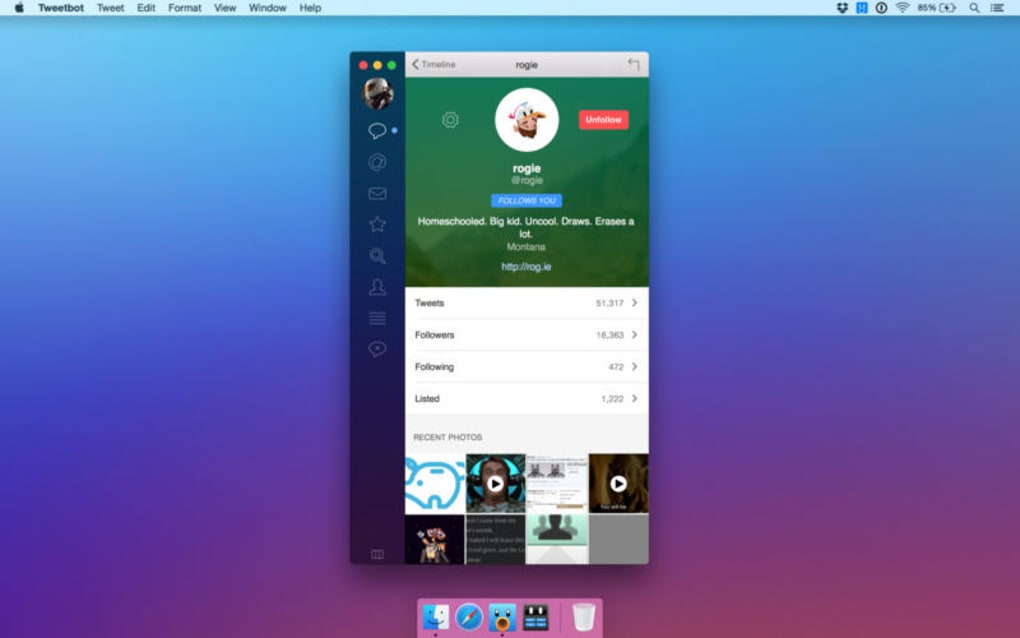
- Native macOS Integration: Leverages macOS notification center, Touch Bar support, and Dark Mode for a seamless user experience.
- Rich Media Support: View images, GIFs, and videos directly in the timeline, with quick‑save options and native playback.
- Powerful Search & Discovery: Search tweets, users, and hashtags with advanced operators; save searches for later reference.
- Offline Reading Mode: Cache tweets for offline browsing, ensuring you can stay updated even without an internet connection.
- Customizable Appearance: Choose from multiple themes, adjust font sizes, and configure column layouts to match your workflow.
- Secure Authentication: Supports OAuth 2.0 with two‑factor authentication, keeping your credentials safe.
- Quick Compose & Drafts: Draft tweets, schedule them, and attach media with drag‑and‑drop simplicity.
- Regular Updates: The development team releases security patches and feature enhancements regularly, ensuring compatibility with Twitter API changes.
Each of these features is designed to reduce the friction of staying active on Twitter while providing the depth required by professional users. The app’s architecture follows Apple’s Human Interface Guidelines, delivering smooth animations, responsive scrolling, and a low‑latency UI that feels native rather than a web wrapper. Moreover, Tweetbot’s focus on privacy means no tracking pixels or third‑party ads are embedded, making it a trusted tool for users who value data security.
Installation & Compatibility
Tweetbot requires macOS X 10.10 (Yosemite) or later. It runs natively on Intel‑based Macs and has been optimized for Apple Silicon through Rosetta 2 translation, ensuring consistent performance across all recent Mac models. Users on older versions of macOS should consider upgrading to meet the minimum requirements.
Step‑by‑Step Installation Guide
- Download the Installer: Visit the official Tweetbot website and click the “Download for macOS” button. The file will be a
.dmgdisk image. - Verify the Download: For added security, check the SHA‑256 checksum provided on the download page. This guarantees the file has not been tampered with.
- Mount the Disk Image: Double‑click the
.dmgfile. A new window will appear showing the Tweetbot app icon and a shortcut to the Applications folder. - Install the Application: Drag the Tweetbot icon onto the Applications shortcut. macOS will copy the app to your
/Applicationsdirectory. - Launch and Authorize: Open Tweetbot from the Applications folder or Launchpad. You will be prompted to sign in with your Twitter credentials using OAuth. Follow the on‑screen instructions to grant the necessary permissions.
- Configure Preferences: Navigate to the Settings menu (⌘+,) to customize notifications, appearance, and account‑specific options.
- Enable Automatic Updates: In the Preferences panel, enable “Check for updates automatically.” Tweetbot will then download and install future patches without manual intervention.
The installation process typically takes less than two minutes on a modern Mac. Because Tweetbot is a signed macOS application, Gatekeeper will allow the installation without additional security prompts, assuming you have not disabled this feature. For users who prefer a portable setup, you can also run the app directly from an external drive, though certain macOS features (e.g., Touch Bar integration) may be limited.
Pros & Cons
Pros
- Native macOS experience with full Dark Mode support.
- Robust mute and filter system for a cleaner timeline.
- Multiple account handling without constant log‑ins.
- Offline caching ensures access to recent tweets without internet.
- Secure OAuth authentication with two‑factor support.
- Regular updates keep the app compatible with Twitter API changes.
- Lightweight footprint; runs smoothly on older hardware.
Cons
- Only available for macOS; no Windows, Android, or iOS version.
- Price is not free; requires a one‑time purchase for the full version.
- Lacks built‑in analytics or scheduling tools found in some social‑media managers.
- Occasional lag when loading media‑heavy timelines on very old Macs.
- No native support for Twitter Spaces (audio rooms) as of the latest update.
Overall, Tweetbot stands out as a polished, secure, and highly functional Twitter client for Mac users. Its strengths in timeline management and native integration outweigh the limitations of platform exclusivity and the lack of some advanced marketing features.
FAQ & Conclusion
Is Tweetbot free to use?
Tweetbot is a paid application. A one‑time purchase unlocks all features, and the license includes free updates for the current major version.
Can I use Tweetbot with multiple Twitter accounts?
Yes, Tweetbot supports up to five accounts simultaneously, allowing you to switch between them without re‑authenticating.
Does Tweetbot support Dark Mode?
Absolutely. Tweetbot follows the system‑wide Dark Mode setting on macOS, and you can also set a custom theme within the app.
How secure is the authentication process?
Tweetbot uses OAuth 2.0 with optional two‑factor authentication, ensuring that your credentials never leave your Mac and are never stored in plain text.
Will Tweetbot receive updates for future macOS releases?
The development team has a track record of releasing timely updates. Enabling automatic updates in Preferences ensures you stay current with new macOS versions.
Final Verdict
If you spend a significant amount of time on Twitter and prefer a distraction‑free, native macOS experience, Tweetbot is a compelling choice. Its blend of powerful muting tools, multi‑account support, and seamless integration with macOS features makes it stand out among desktop Twitter clients. While the lack of a Windows or mobile version limits cross‑platform usage, Mac users will appreciate the app’s speed, security, and regular updates. Ready to upgrade your Twitter workflow? Download Tweetbot now and enjoy a smoother, more controlled social‑media experience.







